

Microsoft Ads Pay Per Click (PPC) is a powerful tool for digital marketers. It offers a unique platform to reach potential customers.
Formerly known as Bing Ads, Microsoft Ads allows businesses to display ads on Bing and its partner networks.
This platform is often overlooked, but it holds a significant share of the search engine market.
Microsoft Ads provides unique targeting options, such as LinkedIn profile targeting, not available on other platforms.
The cost-per-click (CPC) is often lower than on Google Ads, making it a cost-effective solution.
With less competition, advertisers can achieve higher ad visibility and better results.
Microsoft Ads integrates seamlessly with Google Ads, allowing for easy import of campaigns.
Implementing Microsoft Ads can diversify your advertising strategy and reduce reliance on a single platform.
What Is Microsoft Ads Pay Per Click?
Microsoft Ads Pay Per Click is a dynamic advertising platform. It enables businesses to promote their products on Bing and various partner sites.
The platform follows a pay-per-click model. Advertisers only pay when users click on their ads. This makes it a cost-effective strategy for online advertising.
Microsoft Ads empowers users with robust targeting tools. Businesses can reach specific audiences based on demographics, location, and even LinkedIn profiles.
Key features include:
- Easy integration with other platforms.
- Diverse ad formats like text, shopping, and video ads.
- Advanced analytics for tracking campaign performance.
By leveraging these features, businesses can improve their marketing reach. This ultimately leads to enhanced brand visibility and growth.
Microsoft Ads vs. Google Ads: Key Differences
When comparing Microsoft Ads and Google Ads, several distinct differences emerge. Both platforms offer pay-per-click advertising but cater to different audiences and strategies.
Microsoft Ads often reaches an audience that is less commonly targeted. This can be ideal for businesses seeking untapped markets. Additionally, Bing, Microsoft’s search engine, has a unique user base.
Key differences include:
- Cost-per-click (CPC) is typically lower on Microsoft Ads.
- Microsoft Ads allows LinkedIn targeting.
- Google Ads has a larger overall reach.
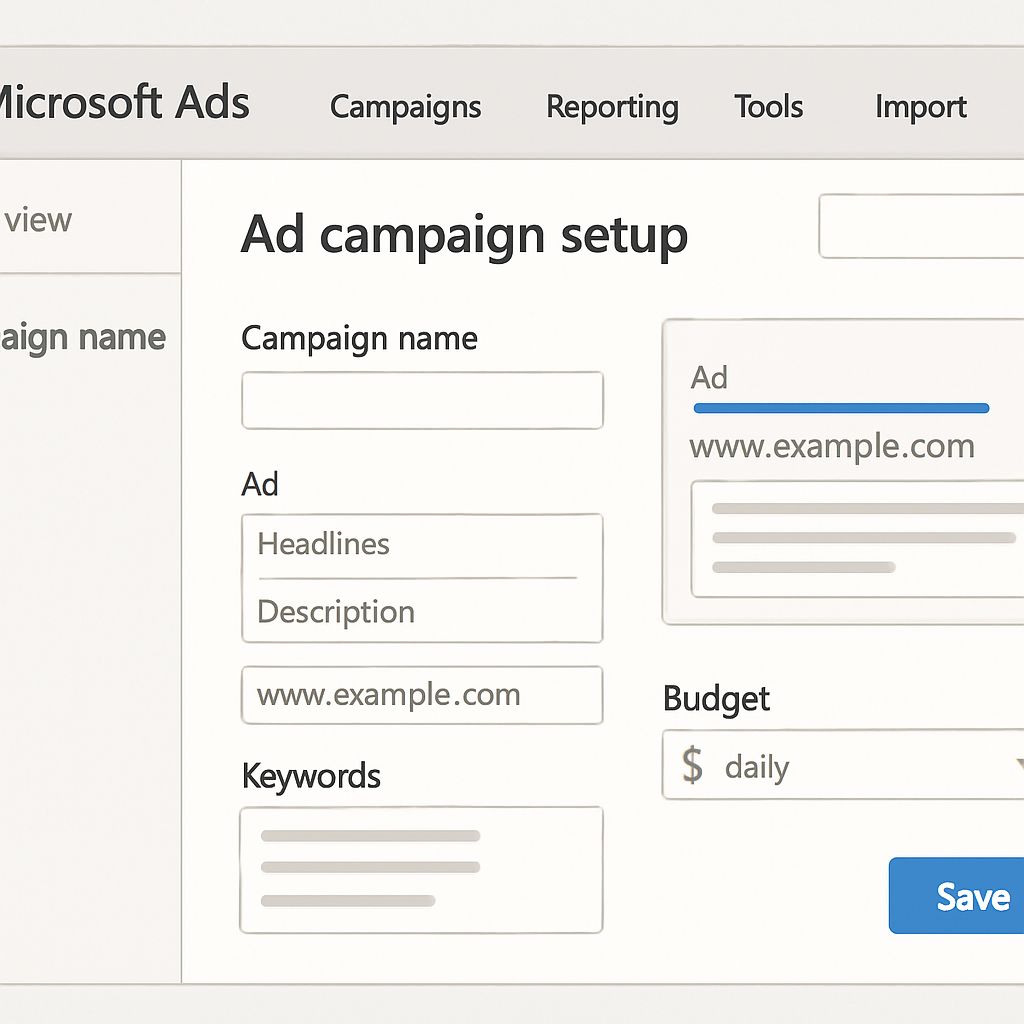
Microsoft Ads is often seen as a hidden gem. Its unique features and lower costs offer significant advantages to advertisers looking for fresh opportunities. Understanding these differences can help businesses optimize their advertising strategies for better results.
The Benefits of Microsoft Ads Pay Per Click
Microsoft Ads Pay Per Click provides various benefits for digital marketers. It serves as a cost-effective alternative to other platforms. The combination of lower costs and unique audience reach enhances its value.
Advertisers experience less competition on Microsoft Ads. This results in higher visibility and click-through rates.
Key advantages include:
- Cost-effective CPC rates
- LinkedIn profile targeting
- Access to Bing’s unique audience
The platform’s integration with LinkedIn offers unmatched professional targeting. Additionally, advanced analytics tools provide actionable insights for campaign optimization.
Microsoft Ads allows for diverse ad formats. These options allow advertisers to tailor campaigns to specific goals and audiences effectively. Implementing Microsoft Ads diversifies any advertising strategy, reducing over-reliance on a single platform.
Lower Competition and Cost-Per-Click (CPC)
Microsoft Ads often features lower CPC rates. This affordability makes it an attractive option for advertisers seeking cost-effective strategies.
With less competition than other platforms, Microsoft Ads enables greater ad visibility. Businesses can maximize their budget while achieving their advertising goals. Such efficiency is vital in a competitive digital landscape.
Unique Targeting Options (Including LinkedIn)
Microsoft Ads stands out with its unique targeting features. The ability to target LinkedIn profiles is particularly beneficial.
These targeting options include:
- Demographic targeting
- Location targeting
- Professional targeting via LinkedIn
Such advanced targeting ensures ads reach the right audiences. This precision leads to higher engagement and conversions. Advertisers can leverage these options to fine-tune their marketing efforts
Access to a Distinct Audience
Microsoft Ads taps into a distinct audience pool. Many users prefer Bing over other search engines, offering a unique target group.
This audience typically includes older demographics. They may often be overlooked by platforms with younger user bases. Reaching these users allows for broader market coverage and increased brand awareness.
Types of Microsoft Ads Campaigns
Microsoft Ads offers diverse campaign types to suit different marketing goals. Understanding these options can enhance your advertising strategy.
Search Ads appear directly on the Bing search engine. They target users based on specific search queries.
Shopping Ads allow retailers to display product information in search results. These ads can boost product visibility and sales.
Audience Ads, or Native Ads, appear on partner networks. They are designed to fit seamlessly into the content of a webpage.
Dynamic Search Ads use your website’s content to match ads with relevant searches. This automatic approach saves time while improving relevance.
Video and App Install Ads engage users with multimedia content. They are perfect for promoting apps or highlighting dynamic content.
Key Microsoft Ads campaign types include:
- Search Ads
- Shopping Ads
- Audience Ads
- Dynamic Search Ads
- Video and App Install Ads

Search Ads
Search Ads target users based on specific keywords they enter on Bing. They appear at the top of the search results page, increasing visibility.
Shopping Ads
Shopping Ads display product details like price and image in the search results. They are effective for retailers aiming to enhance product exposure and drive more sales.
Audience Ads (Native Ads)
Audience Ads, known as Native Ads, integrate with Bing and its partners. These ads blend into site content, improving engagement without disrupting the user experience.
Dynamic Search Ads
Dynamic Search Ads automate the creation of ads by using your site’s content. They align ads with relevant searches, ensuring your products find the right audience.
Video and App Install Ads
Video and App Install Ads are engaging formats that capture users’ attention. They are ideal for showcasing apps and multimedia content, encouraging user interaction and downloads.
Setting Up Your First Microsoft Ads PPC Campaign
Creating your first Microsoft Ads PPC campaign involves several key steps. Begin by defining your goals clearly. Understand what you aim to achieve with your ad spend.
Next, use the platform’s user-friendly interface to set up a new campaign. Select your preferred ad type, whether it’s search, shopping, or another option.
Follow this with audience targeting. Consider demographics, locations, and devices to refine your reach.
Finally, monitor your campaign’s performance using analytics tools. Adjust your strategy based on data to optimize results continually.
Key steps include:
- Define campaign goals
- Choose ad type
- Target audience
- Monitor performance

Importing Campaigns from Google Ads
Microsoft Ads simplifies the process of importing campaigns from Google Ads. The import tool ensures a seamless transition.
Simply log into Microsoft Ads and use the import feature. Select the campaigns you wish to migrate and make adjustments as needed.
Keyword Research and Selection
Effective keyword selection is crucial. Use Microsoft Ads’ keyword planner tool to identify terms that fit your strategy.
Focus on selecting keywords that match the intent of your audience. Evaluate search volume and competition to prioritize choices.
Essential steps for keyword research:
- Use the keyword planner tool
- Identify high-intent keywords
- Evaluate search volume and competition
Writing Effective Ad Copy
Crafting compelling ad copy is a vital skill. The goal is to create clear and persuasive messages.
Start by understanding your audience’s needs. Highlight unique selling points to capture attention.
Focus on these key elements:
- Understand audience needs
- Highlight selling points
- Craft clear and persuasive messages
Advanced Targeting and Optimization Strategies
Microsoft Ads offers a range of advanced targeting and optimization features. These tools help refine ad delivery for better results. Advertisers can leverage detailed targeting options to reach desired audiences effectively.
Utilize demographics and location settings to pinpoint your audience. Adjust parameters to maximize relevance and impact.
Optimize further by employing remarketing tactics. Re-engage potential customers who have shown interest in your offerings.
Additionally, automated bidding strategies and AI tools provide efficiency. These features enhance bid management and maximize return on ad spend.
Key strategies include:
- Demographic and location targeting
- Remarketing and custom audiences
- Automated bidding and AI tools
Demographic and Location Targeting
With Microsoft Ads, precise audience targeting becomes a reality. Use demographic data to tailor ads effectively. Consider age, gender, and income when defining your audience.
Location targeting lets you focus on specific areas. Reach the right customers by narrowing in on relevant regions.
Key demographic and location targeting options:
- Age and gender selection
- Geographic focus
- Income targeting
Remarketing and Custom Audiences
Remarketing is a powerful tool for re-engaging users. Target those who’ve already interacted with your site. Custom audiences offer further customization in reaching qualified prospects.
Microsoft Ads allows advertisers to define unique audience segments. Use these segments to address particular needs and wants.
Remarketing and custom audience options include:
- Target past site visitors
- Create custom audience segments
- Address specific user needs
Automated Bidding and AI Tools
Harness AI to streamline your campaigns with Microsoft Ads. Automated bidding tools help optimize spending effectively. These tools adapt bids based on real-time data for improved performance.
AI tools provide insights that can guide strategy refinement. They can help in adjusting elements to match audience behavior.
AI tools and automated bidding benefits:
- Real-time bid adjustments
- Performance-driven insights
- Strategy optimization
Tracking, Analytics, and Reporting
Tracking and analyzing performance is crucial in Microsoft Ads. The platform provides robust tools to track campaign success. Advertisers can access detailed reports to evaluate their efforts comprehensively.
Analytics features allow you to dive deep into metrics. These insights help identify which tactics are yielding results. Adjustments can be made based on performance data to enhance outcomes.
Microsoft Ads offers a variety of reporting options. These tools give a clear picture of what drives engagement and conversions. Access to this data supports informed decision-making for ongoing campaigns.
Essential tracking and reporting tools include:
- Conversion tracking
- Performance dashboards
- Custom reporting features

by Windows (https://unsplash.com/@windows)
Best Practices for Microsoft Ads PPC Success
To maximize your campaign’s success, focus on continual optimization. Regularly reviewing and refining your strategies can lead to better results. Flexibility allows you to adapt to new insights.
Effective budget management is also crucial. Ensure your spend aligns with your goals and performance metrics. Adjust bids and budgets based on campaign data for cost efficiency.
Targeting is vital for reaching the right audience. Use Microsoft’s advanced targeting options to zero in on high-value customers. Personalized targeting often translates to higher conversion rates.
Key best practices include:
- Regular campaign audits
- Strategic bid adjustments
- Personalization in targeting
Common Mistakes to Avoid
In Microsoft Ads, avoiding common pitfalls can save time and money. One frequent mistake is neglecting regular monitoring. Without consistent checks, you might miss crucial performance signals and budget overspends.
Another common error is poor keyword selection. Using ineffective or overly broad keywords can lower ad relevance and ROI. Aim for a balance of broad and long-tail keywords to reach your audience effectively.
Avoiding these mistakes involves:
- Consistent campaign monitoring
- Strategic keyword research
- Regular performance audits
By addressing these areas, you can improve your campaign outcomes and achieve your marketing goals more efficiently.
Conclusion: Why You Should Implement Microsoft Ads Pay Per Click
Implementing Microsoft Ads Pay Per Click opens new avenues for online advertising. It allows for precise targeting and cost-effective campaigns. The platform’s unique features provide an edge over competitors.
Leveraging Microsoft Ads enables access to a diverse audience base. With reduced competition and advanced tools, the potential for ROI increases significantly. Embrace Microsoft Ads PPC to diversify your marketing efforts and achieve compelling results.
